Why Does My Bathroom Fan Keep Running After I Turn It Off? (5 Real Causes & Fixes)
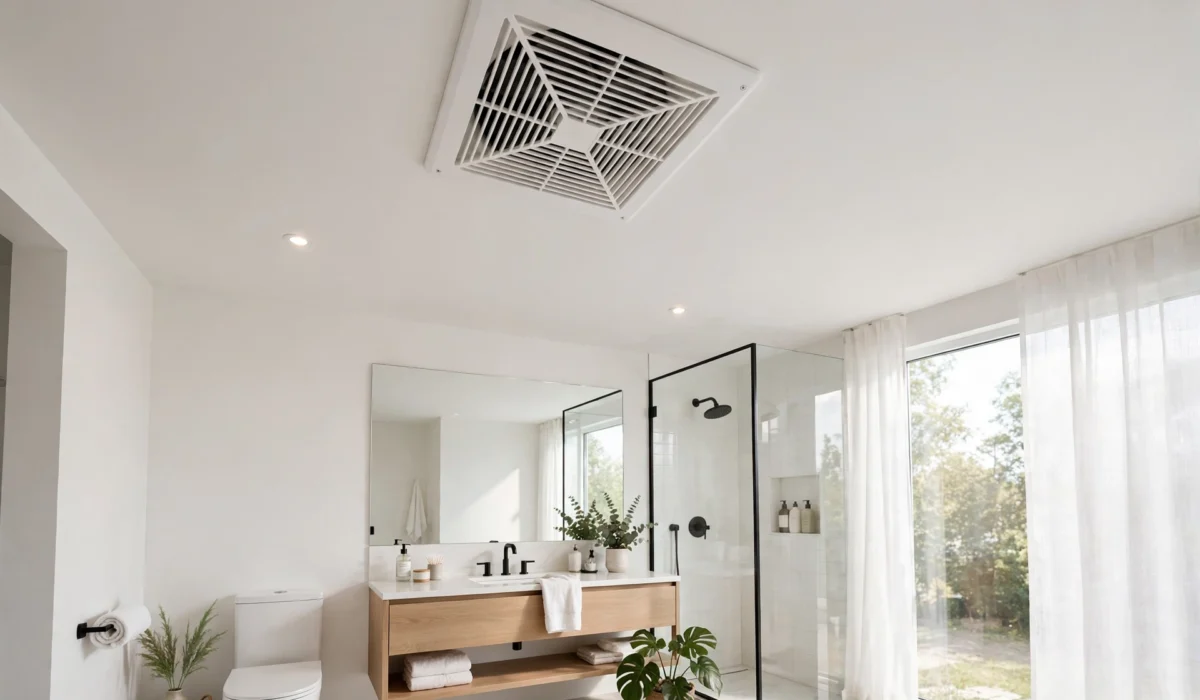
You flip the bathroom switch off, walk away — and the bathroom fan keeps running. Five minutes pass. Then ten. It just hums along like nothing happened. If your bathroom fan keeps running long after you’ve turned it off, you’re not imagining things, and you’re far from alone. A fan that won’t quit is one of the most common bathroom mysteries homeowners ask about.
The good news? In most cases, a fan that keeps running is either doing exactly what it was designed to do, or it has a small, fixable problem. In this guide, we’ll walk through the five real reasons a bathroom fan keeps running after you turn it off, show you how to figure out which one is yours, and share the simple fixes you can try today — plus when it’s time to call an electrician.
Is It Normal for a Bathroom Fan to Keep Running?
Sometimes, yes — completely normal. Many modern bathroom fans are designed to keep running after you flip the switch. Builders install fans with built-in delay timers or humidity sensors on purpose: moisture is a bathroom’s worst enemy, and running the fan for 10 to 30 minutes after a shower clears out steam that would otherwise feed mold, peel paint, and rot trim. If your bathroom fan keeps running for about 20 minutes and then shuts itself off, that’s the fan protecting your home, not a malfunction.
The problem starts when the fan never stops, runs for hours on end, or suddenly behaves differently than it used to. That’s when one of the causes below is likely at play. A useful rule of thumb: if the behavior changed suddenly, something broke; if it has always done this, it was probably installed that way.
5 Real Reasons Your Bathroom Fan Won’t Turn Off
1. A Built-In Run-On Timer Is Doing Its Job
The single most common reason a bathroom fan keeps running is a run-on timer. Many fans — and many specialty fan switches — include an adjustable timer that keeps the fan going for a preset period after the switch is turned off. Common presets are 5, 10, 20, or 30 minutes. Some timers live inside the fan housing itself; others are part of the wall switch, with tiny dials or buttons on the switch plate.
How to check: turn the fan on, then off, and time the run with your phone. If it stops after the same number of minutes every time, you’ve found your answer — it’s a timer. Look for a small dial under the grille or on the switch labeled “delay,” “timer,” or marked with minute numbers. You can usually turn it down to a shorter delay in seconds. (Homes have other timer-like electrical quirks too — for example, lights that dim when the furnace kicks on — and most turn out to be normal once you know what to look for.)
2. A Humidity Sensor Keeps It Running Until the Air Dries
Humidity-sensing fans — sometimes called humidistat fans — run automatically whenever bathroom moisture climbs above a set level, and they can keep going even with the wall switch off. After a hot shower, the fan may run 30 to 60 minutes until the air dries out. That’s the feature working exactly as intended, and it’s one of the best defenses your bathroom has against mold and mildew.
But sensors can be fooled. A heavy blanket of dust on the sensor, a sensitivity dial turned up too high, or a sensor that picks up humidity drifting in from a hallway can keep the fan running far longer than necessary. If your bathroom fan keeps running on dry days when nobody has showered, the humidity sensor is your prime suspect. Cleaning it and turning the sensitivity down a notch resolves most of these cases.
3. The Wall Switch Is Failing or Miswired
Switches wear out. Inside an aging switch, the metal contacts can pit, weld themselves together, or the little spring mechanism can jam — so flipping the lever to “off” never actually breaks the circuit. Miswiring is another classic: a fan needs both a “switched” wire (from the switch) and, on timer models, a “permanent live” wire. If those two were crossed during installation, the fan can run constantly no matter what position the switch is in.
This cause is especially likely if the trouble started right after the fan or the switch was installed or replaced. Telltale signs include a switch that feels loose, crackles, or works only on some tries. Switch gremlins cause all kinds of household mysteries — a furnace that refuses to turn on often traces back to the same kind of failing control.
4. A Stuck Relay or Faulty Control Module
Many modern fans use a small electronic relay or control board to manage their timer and sensor functions. When that relay welds shut or the board fails — often after a power surge or simply with age — the fan motor gets continuous power and never receives the “stop” signal. The switch becomes a decoration.
You can sometimes confirm this with a simple isolation test. Turn off the breaker, remove the grille, and unplug the fan motor’s plug inside the housing (many models have a quick-connect plug). Turn the breaker back on: if the circuit now behaves normally, the fault is inside the fan assembly. Replacement control modules are sold for popular fan brands, and swapping one is a 15-minute job. But if the whole unit is old, noisy, or the parts are discontinued, replacing the entire fan is usually the smarter use of money.
5. It’s Designed to Run Continuously
Some homes — especially newer, tightly sealed, energy-efficient ones — have ventilation fans designed to run 24 hours a day at low speed to meet whole-house ventilation requirements in the building code. These systems look exactly like an ordinary bathroom exhaust fan, and they’re frequently installed in the bathroom, but their job is ventilating the entire house, not just clearing shower steam.
If your fan has run nonstop since the day you moved in, and no switch in the house affects it, you may have a continuous-ventilation unit. These are meant to run — “fixing” one means understanding the system and possibly adjusting its speed, never just disconnecting code-required ventilation.
How to Figure Out Which Cause Is Yours
Work through these steps in order. Most homeowners find their answer by step three:
- Time the run. Turn the fan on, then off, and time it with your phone. Does it stop after a consistent 10, 20, or 30 minutes? That’s a timer. Does it run for over an hour or never stop? Keep going down this list.
- Look for a dial. Turn off the breaker, remove the grille, and look for a small dial labeled humidity, RH, delay, or timer. Take a photo of its current position first (so you can undo any change), then adjust it slightly and test over a day.
- Test the switch. With the breaker off, wiggle the wall switch and look for looseness, discoloration, or scorch marks. Switches are cheap — swapping in a new one is a fast, low-cost test.
- Do the tissue test. Hold a tissue up to the grille while the fan is supposedly “off.” Strong, steady suction means the motor is genuinely running (an electrical cause). A weak flutter with no motor hum may just be a draft sneaking through a stuck damper — a different problem with a different fix.
- Isolate the fan. With the breaker off, unplug the motor plug inside the housing, then restore power. If the rest of the circuit behaves normally, the fault lives inside the fan assembly itself.
Quick Symptom Guide
Match what you’re seeing to the most likely cause:
| Symptom | Likely cause | What to do |
|---|---|---|
| Fan stops after the same 10–30 minutes, every time | Run-on timer | Normal behavior — shorten the timer dial if you like |
| Runs long after showers, eventually stops on its own | Humidity sensor | Normal behavior — clean the sensor, lower sensitivity |
| Never stops; the switch does nothing at all | Failed switch or miswiring | Inspect and replace the switch; verify wiring |
| Worked fine for years, then suddenly stayed on | Stuck relay or failed control module | Replace the module, or replace the aging fan |
| Has run nonstop since move-in day | Continuous ventilation design | Confirm the unit type; don’t disable required ventilation |
Simple Fixes You Can Try Today
- Shorten the timer dial under the grille or on the switch plate to the delay you prefer.
- Clean the grille and the sensor. Dust is the number-one cause of confused humidity sensors. A vacuum with a brush attachment and a soft cloth work well — just make sure the breaker is off first.
- Turn the humidistat down a notch and observe for a day or two before deciding it didn’t help.
- Tighten or replace a loose wall switch. If the lever wobbles or feels inconsistent, a new switch (a few dollars) often ends the mystery.
- Check the backdraft damper at the exterior vent hood. A flap stuck open lets in cold drafts that feel and sound like a running fan.
- Put ventilation on your seasonal checklist. Fans are easy to forget until they misbehave. Our home maintenance checklist includes ventilation tasks so small issues get caught before they grow.
When to Call an Electrician
Most causes above are safe DIY territory, but call a licensed electrician if you notice any of these:
- Scorch marks, melted plastic, or a burning smell near the switch or fan.
- The breaker trips when the fan circuit is touched.
- You suspect miswiring but aren’t comfortable opening a switch box.
- The fan problem comes with other electrical symptoms — for instance, if you’ve also seen lights dim when big appliances start, the issue may be bigger than one fan.
Electrical work rewards caution, and moisture problems deserve the same respect — unchecked bathroom humidity causes exactly the kind of damage described in our guide to moisture and frost problems inside the home.
Frequently Asked Questions
Should a bathroom fan run all the time?
Only if it’s a continuous-ventilation unit designed for that purpose. A standard spot exhaust fan should run during showers and for about 20–30 minutes afterward, then stop.
How long should a bathroom fan run after a shower?
Most ventilation experts recommend 20–30 minutes after showering to fully clear moisture from the air and surfaces. Timer fans are usually factory-set right in this range.
Can a fan that never turns off cause a fire?
It’s rare, but a motor clogged with lint can overheat — which is one more reason to clean the grille regularly and replace aging units. If the motor ever smells hot, turn off the breaker and replace the fan. This detailed breakdown of exhaust fans that won’t turn off covers the mechanical failure modes well.
Does a constantly running fan waste a lot of electricity?
Surprisingly little — most bath fans draw only 10–30 watts, so even round-the-clock operation costs just a few dollars a month. The real costs of a fan that never stops are noise and wear, not the electric bill. The underlying wiring logic is the same as other “always-on” mysteries, explained in this overview of fans that keep running after shutoff.
The Bottom Line
If your bathroom fan keeps running, start with the simplest explanation: a timer or humidity sensor doing exactly what it was installed to do. Time the run, look for a dial, and clean the sensor — those three steps resolve the majority of cases. If the switch does nothing at all, or the behavior changed overnight, investigate the switch, the wiring, or the control module next. And when anything looks scorched or you’re unsure, call a licensed electrician. A fan that runs a little long is protecting your bathroom; a fan that never stops is asking for your attention.
Not sure what your home needs?
Build a free, personalized maintenance plan in under 2 minutes.
Build My Home PlanRelated Articles
 HVAC & Indoor Climate
Why Is My Upstairs So Much Hotter Than Downstairs? (7 Real Causes & Fixes)
Why is your upstairs so much hotter than downstairs? Learn the 7 real causes, from attic heat to…
 HVAC & Indoor Climate
Why Won’t My Furnace Turn On? (7 Real Causes)
There’s a specific kind of quiet that hits on the first truly cold evening of fall — when…